















Skip to content
NewSales kickoffs don’t close deals. Follow-through does. Read the whitepaper ›

Interactive presentations and training follow-through

Make presentations click and learning stick.

Praxis Learning makes every session engaging, and helps people practice what they learned back at work.

Recognition. The whole room naming ways to recognize each other, filling one board from their phones.

Trusted across healthcare, government and corporate L&D.

  • UC Davis CPE
  • US Army Corps of Engineers
  • Enloe Health
  • Radical Collaboration
  • US Fish & Wildlife
  • Walnut Creek Chamber
  • Contra Costa Elections
  • Butte County Office of Education
  • Brandsource Marketing
  • Consequence of Habit
  • Vibe Optimizer
  • Silver Jackets

Why training fades

Most of what happens in the room never makes it back to work.

It gets lost twice. Praxis Learning fixes both, and connects them.

Where it’s lost, 1 of 2

The room checks out.

Half the group is half there, checking email under the table. And what does happen ends up on a flip chart nobody types up.

ClickPraxis Live

A session people lean into, not sit through, and one that captures the insights and commitments that usually get left behind.

See how ↓

Where it’s lost, 2 of 2

Then it walks out the door.

Monday comes, the inbox wins, and the “I’m going to try this” has nothing to keep it going.

StickPraxis Journeys

A few minutes of practice a week back at work, built from what that room actually said.

See how ↓

The part in between

What the room says becomes the practice after.

Polling tools stop when the session ends. A learning platform starts from scratch. Praxis carries the room’s own words into the weeks after, and the person who paid for it gets a report on what came out of it.

Click · Praxis Live

Make presentations click.

The fix for a room that checks out. Whoever is running it gets three things: a dead simple way to build the deck, a group that’s engaged, not checked out, and insights that walk back into work with them.

1. Simple and fast to build.

Bring the deck you already have, or start blank. Drop activities between your slides, right where they belong.

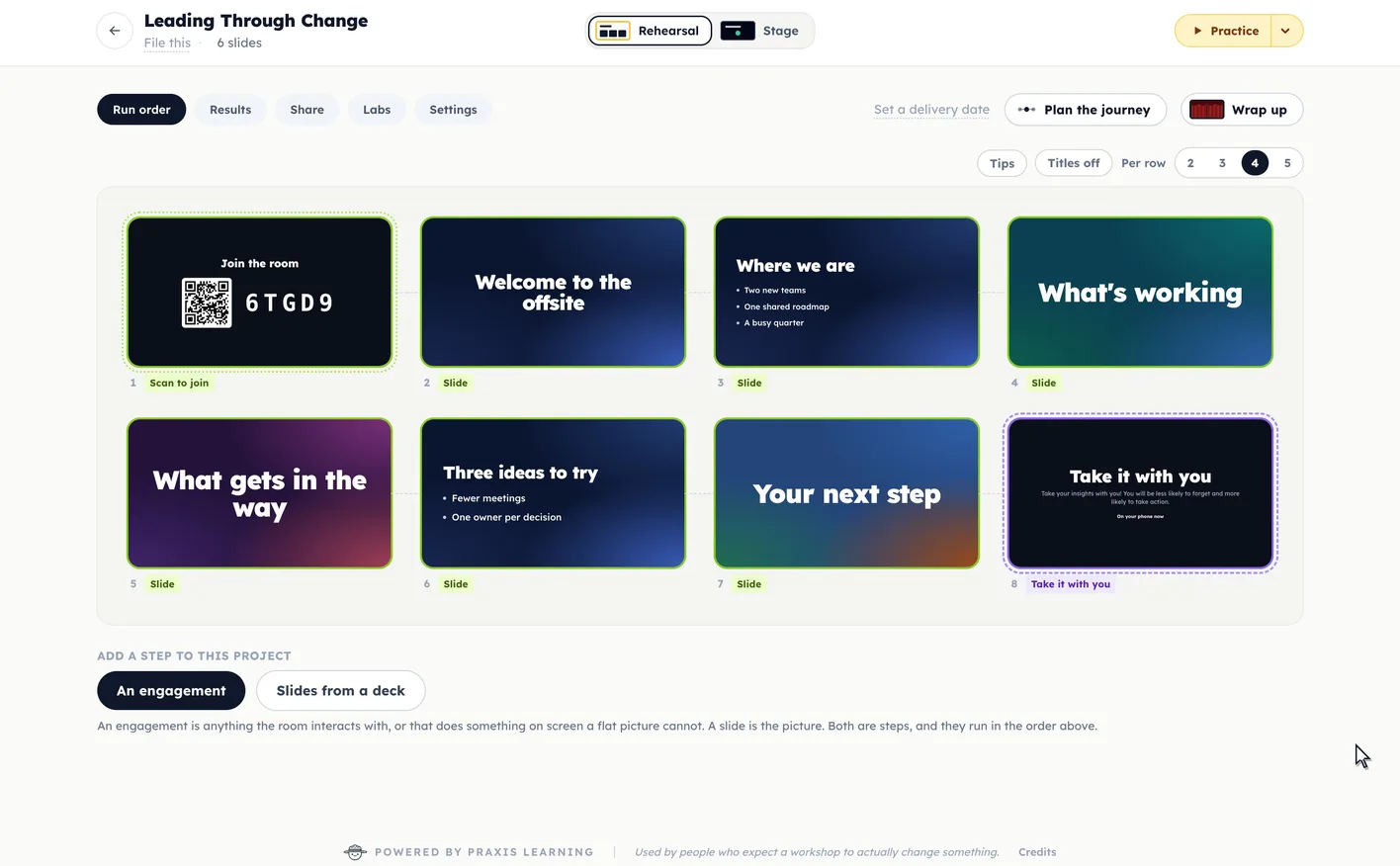
Screen recording of Praxis Live: in the run order of a project called Leading Through Change, the plus between two slides opens Add a step, Fill the Board is chosen and its challenge is typed, and the new step settles into place between the slides.
Your slides, with the room’s turn dropped in between.

2. The group is engaged, not checked out.

Keep them on their phones to keep them off their phones.

Everyone answers from their phone or laptop. More than fifty ways to get a room going, and to capture its energy, insights and learning.

Watch or play every one ›

3. Insights that walk back into work.

Every answer is saved as it comes in. You approve a report for leadership, and each person takes home their own page.

“About 80% of what happens in the room gets left there. What if just 10 or 20% more walked out with the group?”
Mike Martin, co-founder of Praxis Learning
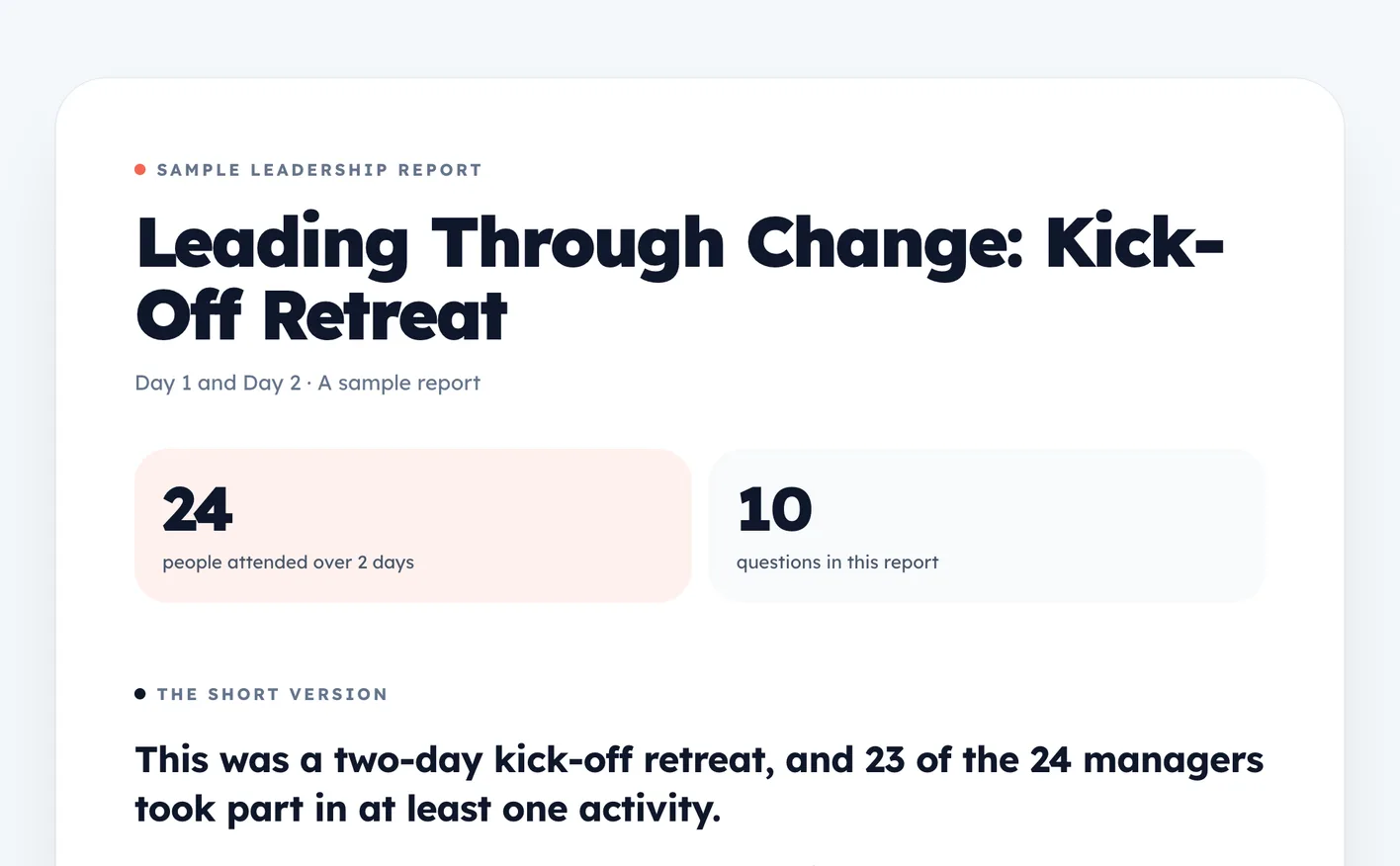
The leadership report, drafted from the room’s answers. Open the full report ›

In their words

From the people running the rooms.

In a rescue, nobody gets to sit in the back and watch. That's how I want every room I speak in to feel, and Praxis Live is how I get there. In about a week I rebuilt my entire speaking program on it: my 'What Does the Impossible Look Like?' keynote, a three-part executive workshop, a 90-minute lab, and a digital toolkit with a 30-day follow-up survey. The audience isn't watching a presentation anymore; they're working the problem with me in real time.
Chief Master Sergeant Derek Anderson (Ret.)Keynote Speaker & Leadership Consultant | Senior Enlisted Leader, 2018 Thailand Cave Rescuederek-anderson.com ›
Praxis Live is taking my trainings to more than the next level. The in person live play and responsiveness transforms the information gleaning, gathering, and sorting. Additionally, the class stays engaged and easily can see where their collective thinking adds to the relevancy and application of the material. Having been a trainer for 30 years, I’m jazzed about the ease of use and the power of this tool.
Laura CootsonaFounder, Good | Well Consultinggoodwellconsulting.com ›

Run your own room.

Free for 14 days with no card, or 30 days with one. Or skip the trial and just buy it.

Stick · Praxis Journeys

Make learning stick.

The fix for the walk out the door. A few minutes of practice a week, built from what your room actually said, so the “I’m going to try this” gets tried. Each session runs under fifteen minutes, with an email when it’s ready.

  • PracticeYou don't learn anything trying it once. You learn it by doing it again and again.
  • ReflectionWhat you did matters less than what you make of it.
  • PerspectiveYou can't see your blindspots. That's what other people are for.
Book a demoSee Praxis Journeys ›

Praxis Journeys starts with a call.

Click and stick, together · Prime, Participate, Practice

One program, start to finish.

The event is where you spend the money. The weeks around it are where you get it back. Take Leading Through Change, a two-day offsite for 24 managers.

  1. 1

    Prime · 1-2 weeks before

    What are you doing before they get there?

    Praxis Journeys

    A short drop or two on their phone, the cohort, and one question to sit with.

    People who show up ready instead of cold.

    Illustration. Your drops, your words.

  2. 2

    Participate · Day one, in the room

    While they're there?

    Praxis Live

    Answer on the phone in their hand, no app to download, and get paired up by how they answered.

    Every answer saved, and a page each person takes home.

    Praxis Live's Small Talks on the big screen: the room sorted into groups by how they answered
  3. (The payoff · the same afternoon)

    A report leadership can read the same afternoon, drafted from the room’s own answers.

    See a sample report ›
  4. 3

    Practice · The Monday after

    After they leave?

    Praxis Journeys

    Under fifteen minutes, a few times a week: a quick recall, one thing to try, the cohort talking it through. An email says when it's ready.

    Practice that keeps going after the room goes home.

    ✉

    Your Monday drop is ready. About ten minutes.

    Illustration. Drafted from what your room said.

In the room · Praxis Live

What changes in the room.

Six things your people do differently, one picture each.

Build it in minutes.

Bring the deck you already have, or start blank, and drop activities between your slides right where they belong.

See it ›

Run order · Leading Through Change

Welcome to the offsite

1. Slide

What's working

2. Slide
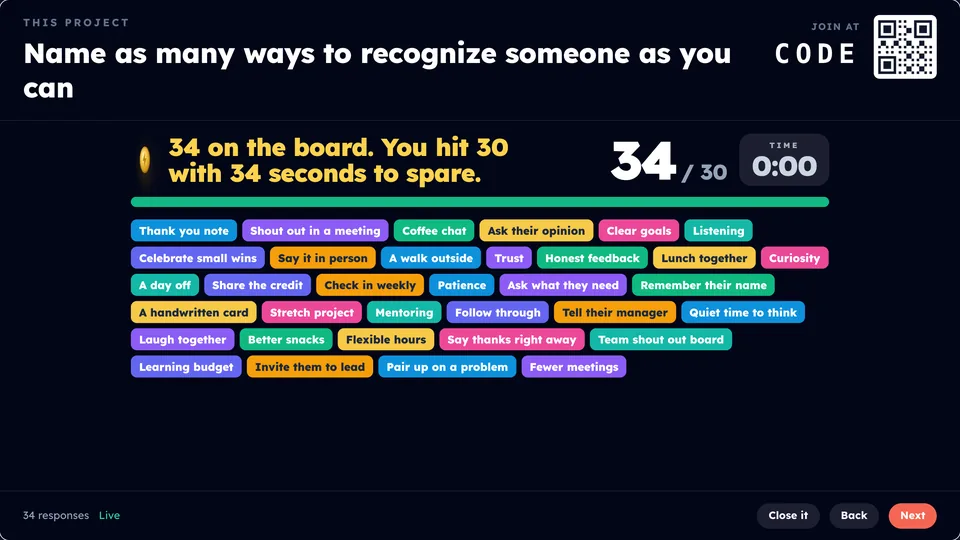
3. Fill the Board

What gets in the way

4. Slide
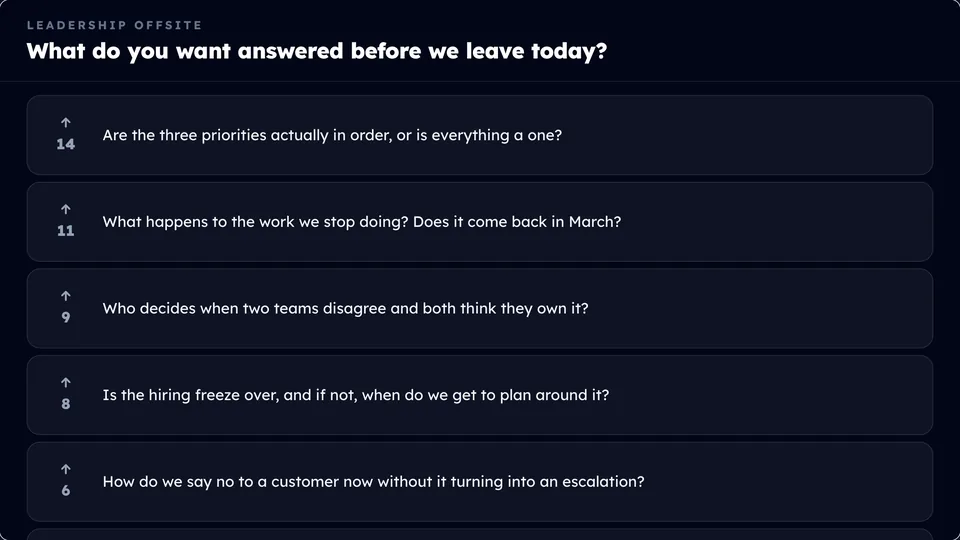
5. Q and A
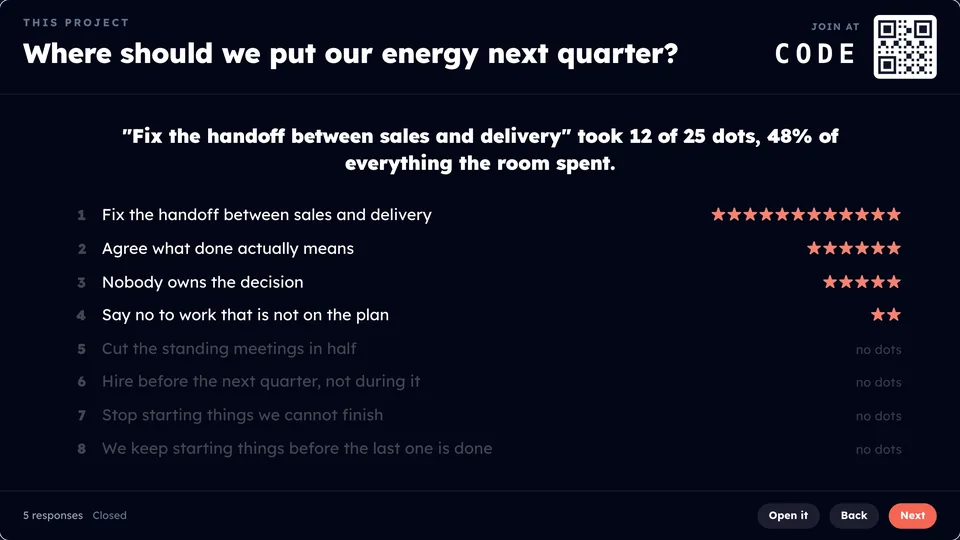
You hear from everyone, not just the loudest three.

Everyone answers on the phone in their hand, and it all lands on the big screen as one picture.

See it ›
Dot Vote on the big screen: the room spends its dots, and one fix takes almost half of them

People talk to each other, not just to you.

The room pairs up and splits into groups by what people said, then goes and finds each other.

See it ›
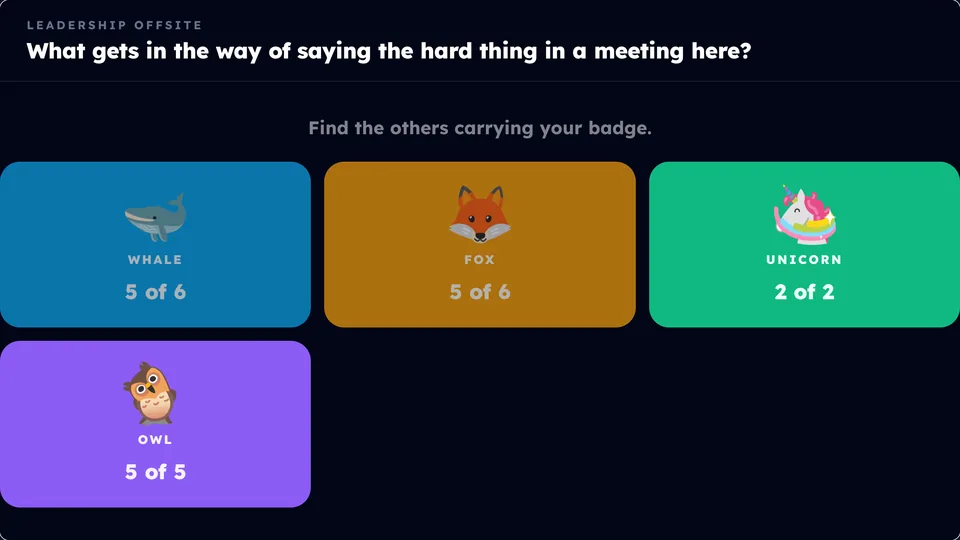
Small Talks on the big screen: the room sorted into groups by badge

Energy back after lunch, with no prep.

Classroom 404, Story Relay, Grid Logic and Hot Seat are ready in seconds, and all anyone needs is their phone.

See it ›

The follow-up is written before you’re home.

Built-in AI drafts the follow-up weeks and the leadership report and types up flip chart photos, and you check each one before anyone else sees it.

See it ›

The weeks after · Week 1

Draft · yours to edit

Mon

Remember when

“Nobody owns it on Monday.” This week, own one thing.

Wed

One idea deeper

Open one meeting with the hard thing.

Fri

Wall of Wins

What did you try, and how did it go?

A report leadership reads the same day.

Praxis drafts it from the room's answers, you approve it, and leadership can be reading it the same afternoon.

See it ›

Leading Through Change · Day 1

Draft

What to work on next

  • 1. One priority for thirty days, first on every agenda.
  • 2. Name an owner before anyone leaves the room.

What the room kept coming back to

  • Saying the hard thing early

  • Too many priorities at once

  • Feedback only flows down

Draft it for meApprove and get the links

Less work, further along

The tech does the busywork. People do the connecting.

AI gets you most of the way there, and you tweak the rest. The time it saves goes back into the part only people can do.

Meet Parker

A thinking partner, from the first idea to the follow-up.

Talk through what you’re going for, and Parker helps you decide what the room should do, where it goes and why. It knows every tool in Praxis Live, so you don’t have to learn them all. It guides you along the way, and builds it in when you say yes.

And the busywork, done for you

  • Parker builds the activities

    Ask where your deck needs the room to do something, or just say what you want. Parker picks what fits, drafts it in your organization's voice, and puts it in once you say yes.

  • Old slides, made editable

    Bring in your PowerPoint and turn any slide into an editable Praxis slide, same words, in one click.

  • Flip charts, typed up

    Tables photograph their flip charts and AI types them up for you, with every unsure word marked.

  • Bring your own AI

    Connect Claude or ChatGPT and hand it your deck or notes. It builds the whole session here, slides and activities.

  • The follow-up, already drafted

    The weeks after, the leadership report and the end-of-day recap, written from what your room actually said.

  • A backup deck, made for you

    Built in: one press makes a PowerPoint where every activity becomes hands, pens and voices, for the day the internet fails.

Drafts wait for you: you read them, change what you want, and approve them before they're shared.

The human part · People

Technology that connects people to people, not to itself.

In the room, the phone is how people find each other: paired up and sorted into groups by what they answered, then sent to go talk. Then the phones go down.

Small Talks on the big screen: the room sorted into groups by what people answered

Small Talks: the room sorts itself into groups, then goes and finds each other.

Questions

What people ask first.

What is Praxis Learning?

Most of what happens in a training session never makes it back to work. Praxis Learning fixes that in two places, and connects them.

Praxis Live is for the room: your slides, plus activities everyone answers on their phone, so people are actually in it and what they say and commit to is captured. Praxis Journeys is for the weeks after: a few minutes of practice at a time, built from what that room said.

How is Praxis Live different from Mentimeter or Kahoot?

Both are good tools. Mentimeter is the better pick for polls and quizzes inside PowerPoint or a very big event, and Kahoot is the better pick when a fast, competitive quiz is the point.

Praxis Live is built for workshops and training where people talk to each other, sorted by what they said, and where what the room said keeps working afterward: a report your leadership can be reading the same afternoon, and follow-up drafted from the room’s own answers.

Praxis Live vs Mentimeter ›·Praxis Live vs Kahoot ›

Do people need to download an app?

No. They join on a phone or a computer, whichever is handy, by scanning a QR code, typing a short code, or opening it in a browser tab.

How soon can leadership see what happened?

The same afternoon. Praxis drafts the report from the room’s answers, with what to work on next at the top. You read it, change what you want and approve it before it’s shared. See a sample report ›

Does Praxis replace our LMS?

No. Praxis runs alongside your LMS, not in place of it. Your LMS keeps doing its job, and Praxis covers the room and the weeks around it.

Stop ending your programs with hope and a high-five.

14 days with no card, or 30 days with one.